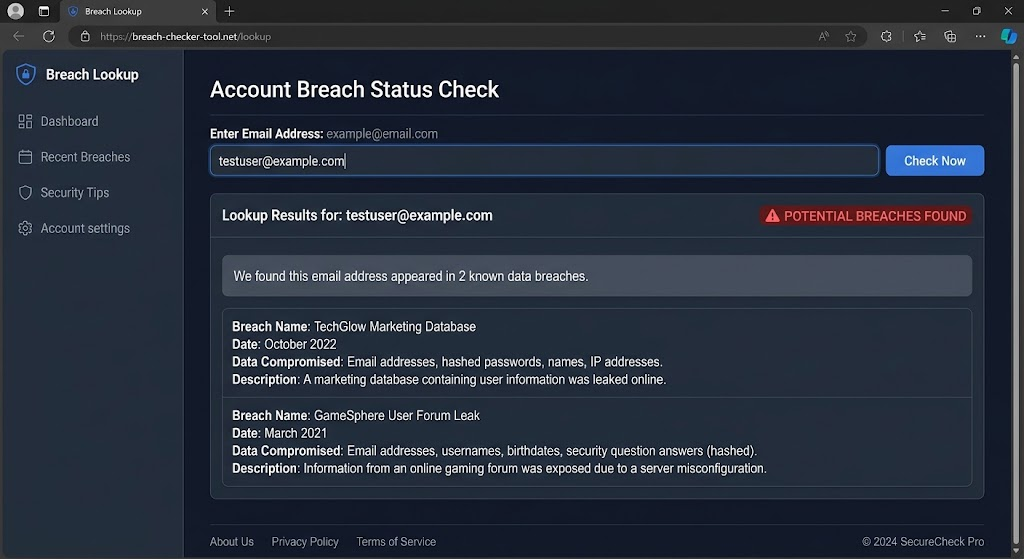
If your email address appears in a known data breach, that does not automatically mean someone has accessed your email account. It may simply mean a company where you used that address experienced a breach and information associated with your account was exposed.
That distinction matters. Searching “check if my email was hacked” often leads to tools that report whether an address appears in known breach data. Those tools can be useful, but they generally cannot tell you that your inbox is currently under someone else’s control. A breach record is a reason to assess what data was exposed and protect affected accounts—not a reason to assume the worst.
This guide explains safer ways to check for known breach exposure, including Have I Been Pwned and built-in password security tools from major platform providers. It also covers password-change priorities, two-factor authentication (2FA) after a breach, signs that your actual email account may need attention, and official US resources if sensitive personal information is involved.
Quick Takeaways
- An email address appearing in breach data does not necessarily mean the email account itself was hacked.
- Use reputable breach-notification services and password-manager security tools instead of unfamiliar sites that ask for excessive personal information.
- Never enter your email password into a breach lookup simply to check an email address.
- If an exposed password was reused, change it everywhere you used it; unique passwords prevent one breach from directly exposing multiple accounts.
- Prioritize your email account, financial accounts, password manager, Apple/Google/Microsoft accounts, and other accounts that can reset or access important services.
- Enable 2FA or stronger supported authentication, such as passkeys, on important accounts. It reduces risk but is not perfect.
- A breach may be reported weeks, months, or longer after it happened, so pay attention to the exposure date as well as the announcement date.
- If highly sensitive identity information was exposed or misused, consult the FTC’s IdentityTheft.gov for official US recovery guidance.
What Does It Mean If My Email Is in a Data Breach?
A data breach is an incident in which information is accessed, disclosed, or obtained without authorization.
The affected information varies substantially from breach to breach.
One breach might expose only email addresses and account usernames. Another might involve names, phone numbers, mailing addresses, password hashes, security questions, or other information.
More sensitive incidents can potentially involve financial or identity information.
The correct response therefore depends on what information was affected—not merely on the fact that your email address appears on a breach list.
Breached email address vs. hacked email account
These concepts are often confused.
Suppose you used name@example.com when registering with an online store several years ago. The store later experiences a data breach and customer email addresses are exposed.
Your email address can now appear in breach records even though nobody gained access to your actual mailbox.
A separate scenario would be someone successfully signing into the email account itself.
The first is breach exposure. The second is account compromise.
They can overlap, particularly when passwords are reused, but one does not automatically prove the other.
What a Breach Lookup Can—and Cannot—Tell You
| A breach lookup may tell you | It usually cannot prove |
|---|---|
| Your email appears in a known breach | Someone currently controls your inbox |
| Which known service was associated with the exposure | Every place your data has ever leaked |
| Approximate breach or disclosure dates | Exactly who possesses the data now |
| Categories of exposed information | Whether every listed data field belonged specifically to you |
| Whether a known password exposure may deserve attention | That your current password is compromised |
| Whether you should review an old account | That your device contains malware |
Breach databases are necessarily incomplete. Some incidents are never discovered, never publicly disclosed, or cannot be independently verified.
A “no breaches found” result therefore means “not found in this service’s known data,” not “this address has never been exposed anywhere.”
Is Have I Been Pwned Safe to Use?
Have I Been Pwned (HIBP) is a widely used breach-notification service created by security researcher Troy Hunt. It allows people to check whether an email address appears in breach data incorporated into the service.
The official site is:
For a normal email lookup, you enter an email address—not the email account’s password.
HIBP also offers breach notifications that can alert you when an address appears in newly added breach data.
Check the domain carefully
Security searches themselves can attract misleading advertisements and imitation services.
Type haveibeenpwned.com directly into the address bar, use a trusted bookmark, or reach it from an authoritative reference.
Do not enter your email account password into a site simply because it promises to check whether your email was hacked.
What about HIBP’s password checker?
HIBP provides a separate Pwned Passwords service designed to check whether a password has appeared in known exposed-password data. Its documented implementation is designed so password-search clients can use a partial-hash technique rather than submitting the password itself in plain text.
For a non-technical user, an easier option may be the compromised-password checking already integrated into a reputable password manager or major browser/platform.
You generally do not need to paste current passwords into unfamiliar breach-checking websites.
Have I Been Pwned Alternatives: Built-In Security Tools
There is no need to depend on a single breach website.
Google, Apple, Microsoft, major browsers, and reputable password managers offer security features that can identify compromised or reused credentials under supported circumstances.
These tools answer somewhat different questions, so they should not be viewed as exact HIBP replacements.
Google Password Manager
Google Password Manager can identify certain saved passwords that are known to be compromised, reused, or weak.
If you use Chrome or Android, search Google Password Manager for its Password Checkup or security-checking features.
Access it through your Google Account or Chrome directly rather than an unexpected email link.
Apple’s Passwords tools
Apple’s current platforms provide password and security recommendations through its Passwords app and related settings.
On supported iPhone, iPad, and Mac versions, search for “Passwords” and review available security recommendations. Apple can warn when supported saved credentials appear in known data leaks.
Exact features and menu names vary by OS version.
Microsoft Edge and account security
Microsoft Edge includes password-security capabilities for saved credentials. Microsoft accounts also provide security activity and account-protection tools.
Open Microsoft Edge Settings or navigate independently to your Microsoft Account rather than responding to an unsolicited “password leaked” notification.
Dedicated password managers
Reputable third-party password managers may offer breach monitoring, compromised-password alerts, or security reports.
Use the service’s official application or website and review how its monitoring feature works before enabling it.
No breach-monitoring service has a complete view of every breach.
Step-by-Step: Check Whether Your Email Appears in Known Breaches
If you want a straightforward process, use these defensive steps.
Step 1: Start with a trusted device
Use a phone or computer you normally control and keep updated.
If you currently suspect the device itself is compromised—for example, because unfamiliar remote-access software is active—use another trusted device or get technical assistance first.
Step 2: Open the breach service yourself
For Have I Been Pwned, independently enter:
Do not reach the site through an alarming email claiming your password has leaked.
Step 3: Enter only the requested email address
For HIBP’s email breach lookup, enter the email address you want to check.
You should not need to enter your email password for this purpose.
Step 4: Review the results carefully
If matches appear, note:
- Which services are named
- When the breach reportedly occurred
- When it became known or was added
- What categories of data were involved
- Whether you still have an account with that service
Do not assume every possible data category was necessarily exposed for every individual record; read the breach service’s description and the affected company’s official notification where available.
Step 5: Check saved-password security
Open the security-checking function in the password manager you already trust.
Review warnings for compromised or reused credentials.
Step 6: Make a priority list
Do not randomly change dozens of passwords before understanding which accounts matter most.
Start with your email and other high-value accounts, then address exposed or reused passwords systematically.
Step 7: Enable breach notifications if desired
HIBP and some other providers can send notifications about future breach records involving your email address.
If you enable monitoring, remember that these alerts are informational. Independently navigate to the relevant service before taking sensitive action.
A Breach Notification Email Is Not Automatically Trustworthy
There is an awkward cybersecurity problem: after a real breach, phishing messages may use breach-related language too.
You might receive an email saying:
“Your account was affected. Click here immediately to reset your password.”
Even if the organization really did experience an incident, do not automatically use the email’s link.
Instead:
- Open the organization’s official app or site yourself.
- Find its security notice, account center, or support information.
- Confirm whether the notification applies to you.
- Change credentials through the real service if necessary.
This prevents a fake breach notification from deciding where you enter your new password.
What Data Was Exposed?
The phrase “data breach” covers events of very different severity.
Your response should reflect the data involved.
Email address only
An exposed email address can increase unwanted or more targeted messages, but email addresses are also often broadly known.
Be more attentive to phishing, particularly messages that mention the breached service.
You generally do not need to abandon an email address simply because it appeared in a breach.
Password or password hash
If a password you used at the time may have been exposed, change it if the account still uses that credential.
More importantly, change the same password anywhere else you reused it.
Password reuse creates a pathway between otherwise unrelated services.
Security questions
If exposed security questions or answers are still used for account recovery, change them where possible.
Avoid reusing the same recovery answers across unrelated services.
Some modern services have moved away from knowledge-based security questions because answers can be guessable or reused.
Phone number
A phone-number exposure does not mean someone can automatically access your phone.
It may, however, make targeted phishing or smishing easier because a sender can associate your number with a particular service.
Treat unexpected texts and calls cautiously.
Address and personal information
Names, addresses, dates of birth, and similar personal information can potentially make social-engineering messages more convincing.
Correct personal details do not authenticate a caller or sender.
Social Security or other identity information
If highly sensitive identity information is involved, review the affected organization’s official notice and consult FTC IdentityTheft.gov for US guidance.
Depending on the facts, official resources may discuss steps involving credit reports, fraud alerts, or credit freezes.
This is general cybersecurity information, not individualized legal or financial advice.
Password Change Priority: What Should You Change First?
If multiple credentials may have been exposed, use a priority order instead of trying to fix everything simultaneously.
A practical order is:
- Your primary email account.
- Your password manager, if you use one.
- Financial and payment accounts.
- Apple, Google, Microsoft, and other central identity accounts.
- Work or school accounts.
- Cloud storage and backup accounts.
- Shopping, social media, and communications accounts.
- Lower-value accounts where an exposed or reused password remains active.
Why email first? Email commonly controls password resets for other accounts. If someone can access it, they may be able to interfere with recovery elsewhere.
For a work account, follow your organization’s security procedures. Do not change managed credentials outside its approved process.
Change Reused Passwords, Not Just the Breached One
Suppose you used the same password on:
- An old shopping website
- Your email
- A social network
- A streaming account
If only the shopping website was breached, changing the shopping site’s password solves only part of the problem.
The old exposed password could potentially be tried against the other services.
The better response is to replace every instance of that reused password with a different, unique credential.
A password manager can generate and store these without requiring you to memorize every one.
Should You Change Every Password?
Usually not just because your email address appears in one breach.
Focus on:
- Passwords known or reasonably suspected to have been exposed
- Reused passwords
- Weak passwords
- Accounts showing unexplained security activity
- Important accounts that lack adequate protection
Changing dozens of already-unique, unaffected passwords can consume time without addressing the most important issue.
A password manager’s security report can help you prioritize.
2FA After a Breach: What It Does
Two-factor authentication requires another authentication factor in addition to a password.
Enabling 2FA can reduce the chance that an exposed password alone will be enough to enter an account.
However, 2FA is not perfect.
Someone may attempt to persuade you to provide an authentication code or approve an unexpected sign-in. Account-recovery mechanisms also remain important.
Which 2FA method should you use?
Use the strongest practical method a service reliably supports.
Passkeys and hardware security keys can offer strong resistance to conventional credential phishing. Authentication apps are also commonly used. SMS-based verification can still provide additional protection compared with relying on a password alone, although it has limitations.
Follow each provider’s supported options and keep recovery mechanisms secure.
Passkeys After a Breach
Passkeys are increasingly available from companies including Apple, Google, and Microsoft.
Unlike a reusable password, a passkey uses public-key cryptography and is tied to the legitimate service. Properly implemented passkeys are resistant to common fake-login-page attacks.
That does not make an account immune from every threat. Device security, recovery processes, social engineering, and provider security still matter.
If an important service supports passkeys, consider whether they fit your devices and recovery plan.
How to Check Whether Your Actual Email Account Was Accessed
A breach lookup cannot answer this reliably. Check your email provider itself.
Google/Gmail
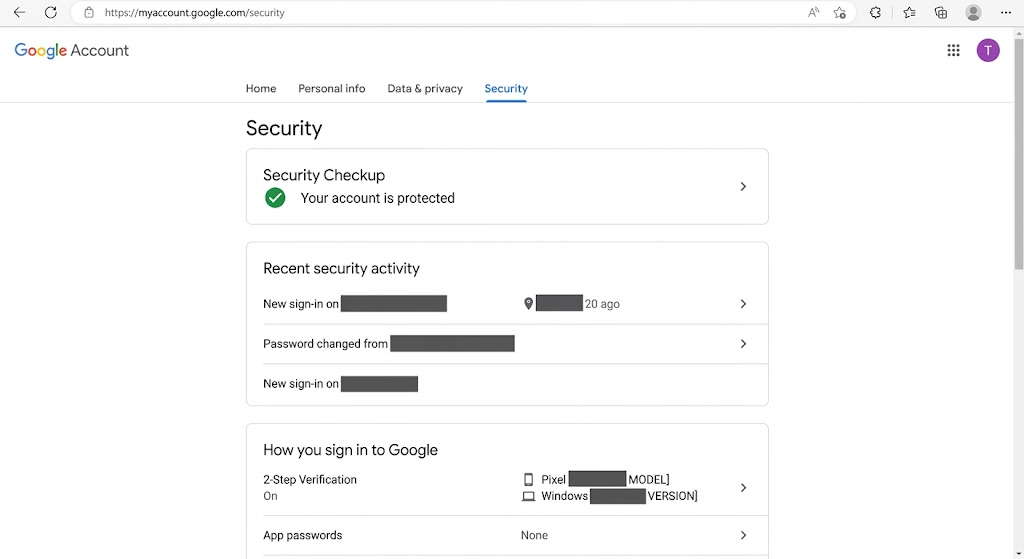
Navigate independently to your Google Account and open Security.
Review recent security activity and devices associated with the account.
If you see activity you cannot explain, use Google’s official compromised-account process.
Microsoft/Outlook
Open your Microsoft Account through Microsoft’s official site and review available sign-in activity and security options.
Do not reach it from a suspicious “Outlook account breached” email.
Apple/iCloud Mail
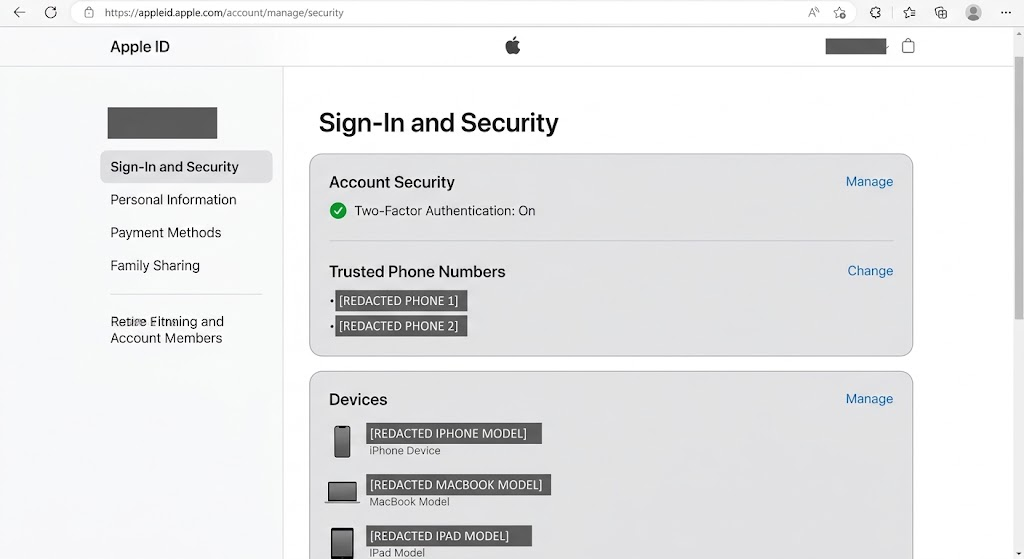
Open your Apple Account settings on a trusted Apple device or navigate independently to Apple’s official account site.
Review trusted devices and security information.
Other email providers
Use your provider’s official account-security page. Look for:
- Recent sign-ins
- Devices or sessions
- Recovery email addresses
- Recovery phone numbers
- MFA settings
- Application access
Features vary by provider.
Check Forwarding Rules If You Suspect Email Account Access
If you have a specific reason to suspect that someone accessed your mailbox, review mail-forwarding and filter/rule settings where your provider supports them.
A forwarding rule can send certain incoming email elsewhere.
Do not treat an unfamiliar-looking rule as automatic proof of compromise. Business, school, and personal workflows can create legitimate rules.
Remove only settings you understand to be unwanted.
On an employer-managed account, contact IT before changing unfamiliar organizational configurations.
Review Connected Apps and Sessions
Many online accounts let third-party applications connect without sharing the main password.
If you are reviewing account security, check connected apps and authorized services.
Remove access for applications you no longer use or do not recognize after investigating them.
Also review active sessions or signed-in devices where supported.
An unfamiliar device name is not automatically malicious. Device labels can be generic, locations can be approximate, and network routing can make geography look unusual.
Focus on combinations of evidence: a device you do not own, a time when you were not signing in, and account changes you did not make deserve further attention.
What If the Breached Account Is Old?
Old accounts still matter if they contain personal information or share a password with current accounts.
If you no longer use an affected service:
- Sign in through the service’s official website if you safely can.
- Change a reused or exposed password if needed.
- Download anything you legitimately need.
- Review the account’s deletion or closure options.
- Delete the account if you no longer need it and the service provides an appropriate process.
Deleting an account cannot retrieve data already exposed in an earlier breach, but it can reduce data retained by a service going forward.
What If I No Longer Remember the Password Used at the Time?
That is common with older breaches.
Do not try to reconstruct an old password using clues from the breach.
Instead, ask whether any current account still uses a password you might also have used at that service.
Your password manager’s reuse or compromised-password warnings can help identify current problems.
If every important account now uses a unique credential, an old breach involving a long-retired password may require less action than a current reused password.
What If the Company Offers Credit Monitoring?
Organizations sometimes offer identity or credit-monitoring services after certain breaches.
Read the company’s official breach notice carefully. Verify the offer through the organization’s official website rather than an unsolicited message.
Credit monitoring can alert you to certain changes, but it does not prevent every form of identity theft or account takeover.
If highly sensitive identity information is involved, consult IdentityTheft.gov and the major credit bureaus’ official resources for current US options such as credit freezes or fraud alerts.
Do not pay an unknown third party simply because it contacts you after a breach and promises guaranteed protection.
Can You Remove Your Email From Breach Data?
Once information has been copied or distributed without authorization, there is generally no way to guarantee that every copy can be retrieved.
Some breach-notification services may provide options related to how an address appears in their own search results, but that does not erase copies that may exist elsewhere.
The practical response is to make exposed information less useful:
- Replace exposed passwords.
- Stop password reuse.
- Enable stronger authentication.
- Be alert to targeted phishing.
- Update recovery information.
- Secure important accounts.
Think in terms of reducing future risk rather than trying to make the historical event disappear.
Be Ready for Phishing After a Public Breach
A breach can provide context that makes phishing more convincing.
For example, after a widely reported incident, messages might claim:
“Reset your password due to the recent breach.”
“Claim your compensation.”
“Activate free monitoring.”
“Verify whether your account was affected.”
Some messages may be legitimate; others may exploit public attention.
Do not use the message to authenticate itself. Navigate to the organization’s official site and locate the breach notice independently.
Beware of Fake “Email Hacked” Websites
A site claiming to perform a breach check should not ordinarily need your email password, payment-card details, Social Security number, or remote access to your computer just to search an email address.
Do not install a browser extension or desktop application simply because a webpage says it is necessary to check for breaches.
Use reputable services and built-in platform security tools.
Also be cautious with browser pop-ups that claim “Your email was found in 17 breaches” without you initiating a trusted security check. A webpage’s warning should not be treated as authoritative account-status information.
What to Do If You Receive an Official Breach Notification
A legitimate breach notice may come from a business you actually use. Some companies are also legally required to provide specific notifications depending on circumstances and jurisdiction.
Use this process:
- Do not rush through links in the message.
- Independently find the company’s official website.
- Look for its breach or security notice.
- Confirm what information was affected and the relevant dates.
- Follow remediation instructions through official channels.
- Change exposed or reused passwords as appropriate.
- Enable MFA or passkeys on important accounts.
- Monitor relevant accounts according to the type of data affected.
- Keep the notice for your records if appropriate.
If the company’s official information differs from a random social media post, give more weight to authoritative notices and established government guidance.
What If You Find an Unauthorized Email Login?
If your email provider’s own account-security page shows an unexplained session or account changes you did not make, treat the situation as an account-security issue rather than merely a breach notification.
From a trusted device:
- Change the email password to a unique credential if passwords are used.
- Sign out unfamiliar sessions using the provider’s security tools.
- Review MFA or passkeys.
- Check recovery email and phone information.
- Review forwarding rules and filters.
- Check connected applications.
- Secure other accounts that reused the same password.
- Follow the provider’s official compromised-account instructions.
If you have been locked out, use the email provider’s account-recovery process.
Do not pay an unsolicited “account recovery expert” who claims they can bypass the provider’s recovery system.
What If Financial Information Was Exposed?
A breach involving card, bank, or other financial data requires attention appropriate to the information affected.
Use the affected company’s official notice and contact your financial institution through its verified website, official app, statement, or the number on the back of your card when appropriate.
If you see a transaction you do not recognize, use the financial institution’s fraud process.
Do not use a phone number from an unexpected message claiming to represent the bank.
Financial institutions can advise on account-specific measures. This article is general cybersecurity information, not financial advice.
What If Identity Information Was Exposed?
In the United States, IdentityTheft.gov is the FTC’s official resource for identity-theft reporting and recovery planning.
If you have evidence that personal information is being misused, or a breach involved highly sensitive identity information, the site can provide appropriate next steps.
The FTC and Consumer Financial Protection Bureau also provide information about fraud alerts and credit freezes.
Use the official websites of Equifax, Experian, and TransUnion if you decide to interact with the credit bureaus. Avoid advertisements or intermediaries that imitate those services.
Common Mistakes to Avoid
Do not assume that finding your email address in a breach means someone currently controls your inbox. Check the email provider’s actual security activity.
Avoid entering your email password into an unfamiliar breach-checking service. An email-address lookup does not require your mailbox password.
Do not change only the password at the breached website if you reused it elsewhere. Every current account using the same password needs attention.
Avoid changing dozens of unique passwords randomly while overlooking your primary email or password manager. Prioritize accounts by importance and exposure.
Do not assume a “no breach found” result proves your information has never leaked. Breach databases are useful but incomplete.
Do not follow a breach-notification email’s password-reset link automatically. Navigate to the company independently.
Avoid thinking that 2FA makes phishing impossible. Never share one-time codes or approve sign-ins you did not initiate.
Finally, do not attribute an incident to a particular breach without evidence. If you receive spam after a publicized breach, the timing alone does not establish the source of the sender’s data.
FAQ
How do I check if my email was hacked?
First distinguish between breach exposure and actual email-account access.
Use a reputable service such as Have I Been Pwned to check whether your address appears in known breaches. Then use your email provider’s official security page to review sign-ins, devices, recovery settings, and other activity.
The breach lookup alone cannot prove your inbox was hacked.
Is Have I Been Pwned legitimate?
Have I Been Pwned is a widely used breach-notification service operated by security researcher Troy Hunt and referenced by cybersecurity organizations and services.
Use the official haveibeenpwned.com domain and do not provide your email password for an email-address lookup.
Is there a Have I Been Pwned alternative?
Yes, although tools do not all perform the same function.
Google Password Manager, Apple’s Passwords security recommendations, Microsoft/Edge password protections, and reputable third-party password managers can warn about certain compromised credentials. These tools can complement an email-focused breach service.
Does finding my Gmail address in a breach mean Gmail was hacked?
No.
Your Gmail address may have been exposed by an entirely different website where you used that address to register.
Check your Google Account’s Security area if you want to investigate actual Gmail/Google account access.
Which password should I change first after a breach?
Prioritize exposed and reused credentials. Your primary email, password manager, financial services, and major identity accounts deserve particular attention because they may control access or recovery for other services.
If an affected password was reused, replace it everywhere it remains in use.
Should I change my password if a breach happened years ago?
If the password involved is still being used—especially if it is reused—change it.
If you replaced it long ago with a unique credential and there is no unexplained account activity, the old breach may require little additional password action beyond checking current security.
Should I enable 2FA after a breach?
Yes, strong multifactor authentication is a useful additional layer on important accounts.
It reduces the risk from a stolen password but does not make an account invulnerable. Never approve unexpected authentication requests or disclose one-time codes to unsolicited contacts.
What does “compromised password” mean in my browser?
It generally means the password manager has identified the saved credential as matching information associated with known password exposure or another security concern.
Change the affected password on the legitimate service and anywhere else you reused it.
Should I delete an email address found in a breach?
Usually there is no need to abandon an email address solely because it appeared in breach data.
Secure the email account, use unique passwords, enable strong authentication, and remain attentive to phishing. A new email address can also eventually receive spam or appear in future exposures.
Can I remove my information from a data breach?
You generally cannot guarantee that every unauthorized copy will be erased after data has been distributed.
Focus on reducing the value of exposed information by changing compromised credentials, preventing password reuse, strengthening authentication, and using appropriate identity-protection resources when sensitive information is involved.
When to Get Extra Help
If you find unexplained activity in your actual email account, use the provider’s official account-recovery or compromised-account process. Google, Microsoft, Apple, and other major providers maintain dedicated security resources.
For an employer or school account, notify the organization’s IT or security team. Do not make major changes to managed accounts outside established procedures.
If financial information was exposed or you see an unauthorized transaction, contact the financial institution through a verified channel such as its official app, known website, or the number printed on your card.
If you suspect identity theft in the United States, use the FTC’s IdentityTheft.gov for an official recovery plan. The Consumer Financial Protection Bureau and three nationwide credit bureaus also provide information about credit freezes and fraud alerts. This article provides general cybersecurity information rather than legal or financial advice.
If an incident includes credible threats, extortion, stalking, or other potentially criminal conduct, consider contacting the appropriate local or federal authorities.
Conclusion: What to Do After a Breach Check
If you want to check whether your email was hacked, start by asking two separate questions: Has my email address appeared in known breach data, and has anyone actually accessed my email account?
A reputable breach service can help answer the first question. Your email provider’s security activity is more useful for the second.
Use a short security checklist after any meaningful exposure: identify what data was involved, change exposed or reused passwords, prioritize email and other high-value accounts, enable MFA or passkeys where appropriate, review signed-in devices and recovery information, and watch for phishing related to the affected service.
A breach result is information you can act on. It is not, by itself, proof that your inbox, device, or every account associated with your email has been compromised.
Pingback: Safe Online Shopping: How to Spot Fake Stores and Avoid Card Fraud – Perlon Tech
Pingback: What to Do If Password Leaked: Email Recovery Guide – Perlon Tech