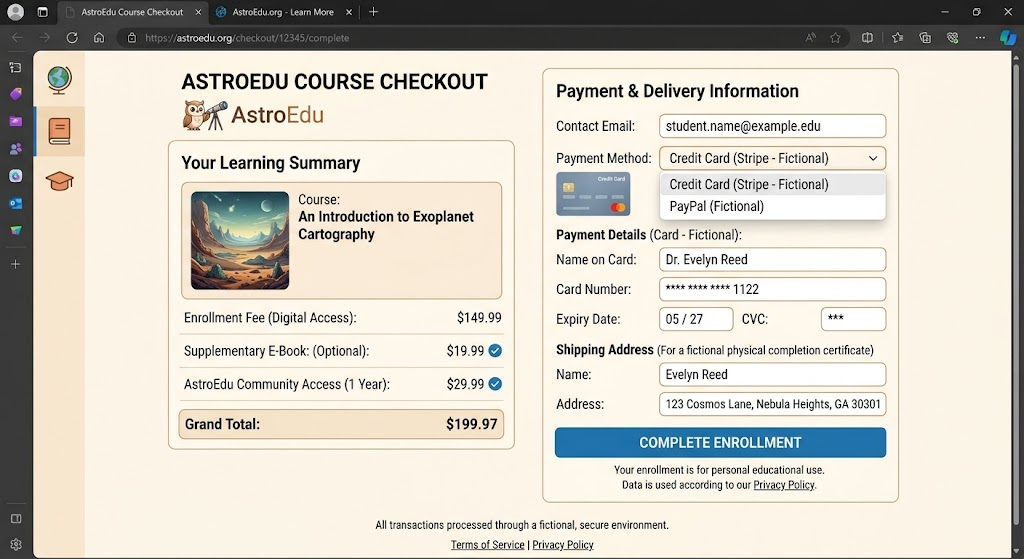
A polished online store is not necessarily a trustworthy one. Website templates, product photos, checkout systems, and professional-looking advertisements are widely available, so an unfamiliar retailer can look convincing even when important details about the business do not hold up under closer inspection.
That does not mean every new or small online shop is suspicious. Legitimate businesses can have recently registered domains, limited reviews, unusually good promotions, or imperfect websites. The practical goal is to look at several signals together before providing payment or personal information.
See Also: How to Check If Your Email Is in a Data Breach (And What to Do Next)
This guide explains how to spot fake online store warning signs, evaluate unusually low prices, research an unfamiliar seller, understand what domain age checks can and cannot tell you, and choose payment methods with consumer protections in mind. It also covers what to do if an order never arrives or you suspect your card information was misused.
Quick Takeaways
- Check an unfamiliar retailer independently before buying, particularly when an advertisement leads directly to a steeply discounted product.
- A professional-looking website, HTTPS connection, or padlock does not prove that the seller is legitimate.
- Compare prices elsewhere. A price dramatically below established retailers deserves additional verification.
- Research the seller’s name with terms such as “reviews,” “complaints,” or “scam,” but evaluate the results critically because reviews can be manipulated.
- Domain age can provide useful context, but a new domain is not proof of fraud and an old domain is not proof of legitimacy.
- For unfamiliar sellers, a credit card can provide useful legal protections for qualifying disputes under US law; understand your issuer’s terms and deadlines.
- Be cautious when an unknown retailer insists on payment methods that are difficult to recover, such as gift cards, cryptocurrency, wire transfers, or person-to-person payments.
- If you suspect card fraud, contact the card issuer through the number on your physical card, statement, official app, or independently verified website.
What Is a Fake Online Store?
A fake online store is a website that presents itself as a retailer without intending to provide the legitimate shopping experience it promises.
Different schemes operate differently. One site might take payment and never ship anything. Another might advertise one product and deliver something substantially different. Other deceptive pages may focus on collecting payment-card information or personal data.
Reals Also: Phishing 101: How to Spot Scam Emails, Texts, and DMs
There are also ordinary commercial disputes that do not establish fraud. A legitimate retailer can ship late, have poor customer service, run out of inventory, or sell an item that disappoints you.
For that reason, one negative experience or one website warning sign should not automatically be described as a scam.
The more useful approach is to evaluate the seller before purchasing and preserve records afterward.
Scam Website Signs: Look for a Pattern
No single website feature is a perfect authenticity test. Consider several factors together.
| Signal | Why it matters | Important limitation |
|---|---|---|
| Extremely low price | May be used to create urgency or attract buyers | Legitimate clearance sales exist |
| Recently registered domain | Provides less operating history to evaluate | New legitimate businesses also launch |
| No meaningful contact information | Makes disputes harder to resolve | Some small businesses legitimately use limited channels |
| Copied or inconsistent policies | May suggest a quickly assembled storefront | Templates are also commonly used legitimately |
| Payment only by gift card/crypto/wire | Can reduce practical recovery options | Some legitimate businesses accept alternative methods |
| Unexpected social-media ad | Ads can lead to unfamiliar sellers | Advertising does not make a seller fraudulent |
| Strange domain spelling | May indicate impersonation | Some legitimate brands use multiple domains |
| Poor or contradictory product information | May indicate low-quality or copied content | Typos alone do not prove fraud |
| HTTPS and a padlock | Encrypts your connection | Does not establish seller legitimacy |
| Strong reviews on the seller’s own site | Can provide context | A seller controls what appears on its own site |
A combination such as a brand-new domain, luxury merchandise at 90% off, no working contact details, and gift-card-only payment deserves much more caution than any one of those traits on its own.
1. Check the Actual Website Address
Before buying, look at the address in your browser.
Impersonation sites can use domains containing familiar words, extra characters, spelling variations, or unrelated endings. A store’s logo is not enough to tell you who operates the website.
Suppose you search for a well-known retailer. Before entering your card number, make sure you reached the retailer’s actual domain rather than a similarly named site.
Be particularly careful after clicking advertisements
Search engines and social networks display advertisements from many businesses. Most advertising is not inherently fraudulent, but the presence of an ad does not independently authenticate the seller.
If an advertisement claims to come from a major brand, you can leave the ad and open the retailer through its official app or a bookmark you already trust.
For an unfamiliar business, research the seller separately before purchasing.
2. HTTPS Does Not Mean the Store Is Legitimate
HTTPS is important. It encrypts data traveling between your browser and the website when the connection is operating properly.
Modern browsers commonly indicate HTTPS in or around the address bar.
However, HTTPS does not tell you whether the merchant is honest.
A deceptive site can also obtain a valid TLS certificate and use HTTPS.
Think of it this way: encryption can protect the road between you and a destination, but it does not prove that you chose the right destination.
Do not use the padlock as your primary test for whether a store is real.
3. Be Cautious With Too-Good-to-Be-True Prices
Large discounts are not automatically suspicious. Clearance events, refurbished merchandise, outlet sales, introductory promotions, and inventory liquidations are normal retail practices.
Context matters.
If nearly every high-demand product costs dramatically less than it does at established retailers, investigate further.
Compare the exact product
Search for the exact model number or product name at multiple established stores.
For example, if an unfamiliar seller advertises a current $900 electronics product for $149 while recognized retailers cluster around $850–$950, do not rush into the purchase because a countdown says only two items remain.
Possible explanations might exist, but the price difference deserves verification.
Also confirm whether the listing is for the same model, condition, capacity, size, accessory package, or subscription arrangement.
A lower price sometimes reflects a different product rather than deception.
4. Don’t Let Countdown Timers Make the Decision
“Sale ends in 07:42.”
“Only one left.”
“18 people are viewing this.”
“This price expires today.”
Some legitimate ecommerce sites use inventory indicators and time-limited promotions. These features are not evidence of fraud on their own.
Their purpose, however, can be to accelerate purchasing decisions.
An unfamiliar store should survive five minutes of research.
If a price disappears because you took the time to verify the seller, that is usually preferable to providing payment information before you understand who you are buying from.
5. Research the Seller Outside Its Own Website
A merchant controls the information displayed on its website. Independent sources may give you additional context.
Search the business name plus terms such as:
- reviews
- complaints
- scam
- customer service
- returns
The FTC specifically recommends researching unfamiliar sellers before buying.
Reviews have limitations
Do not treat a five-star rating as definitive proof.
Online reviews can be genuine, incentivized, manipulated, selectively displayed, or confused with another business using a similar name.
Look for patterns across multiple independent sources.
Useful questions include:
Do reviews span a meaningful period?
Do reviewers describe specific experiences?
Do negative reviews consistently describe the same problem?
Does the business respond in a plausible, professional way?
Does the review profile seem to belong to the same company and domain?
A complete absence of independent reviews is not necessarily bad for a new business, but it means you have less outside information to work with.
6. Check Contact Information

Look for a merchant’s contact page before ordering.
Depending on the type of business, you might reasonably expect some combination of:
- An email address
- A contact form
- A phone number
- A business address
- Customer-service hours
- Return instructions
Do not assume a listed address proves anything by itself. A street address can be copied.
If the purchase is significant, independently check whether the business’s contact information makes sense.
A supposed nationwide electronics retailer whose only contact method is a generic free email address and whose policies list a different company name deserves extra scrutiny.
Small businesses can legitimately use simple contact arrangements, so use this as one signal among several.
7. Read the Return and Refund Policy Before Paying
Return policies matter even when the store is completely legitimate.
Check:
- How long you have to return an item
- Whether sale items can be returned
- Who pays return shipping
- Whether returns go to a domestic or international address
- Whether restocking fees apply
- How refunds are issued
- Whether some items are final sale
Save or print the terms for larger purchases if needed.
Be cautious if the store advertises “100% guaranteed refunds” prominently but its actual policy is missing, contradictory, or impossible to understand.
Also distinguish between a merchant’s voluntary return policy and legal rights that may apply to a particular transaction. For dispute-specific advice, use your card issuer and official consumer-protection resources.
8. Look for Inconsistent Website Details
A quickly assembled store may contain contradictions.
For example:
The footer names one business, the privacy policy names another, and the return policy references a third website.
That does not conclusively prove fraud; businesses sometimes use shared templates, affiliated companies, or third-party service providers.
But unexplained inconsistencies justify more research.
Other details worth noticing include:
- A return policy for products the store does not sell
- Customer-service email using an unrelated domain
- Policies with placeholder text
- Product descriptions referring to another seller
- Prices unexpectedly switching currencies
- Shipping claims that contradict each other
Typos alone are weak evidence. Look for substantive contradictions rather than judging grammar.
9. Use Domain Age Checks Carefully
A domain age check can tell you when a website’s domain was registered or provide related registration information.
This can be useful context when a store claims to have operated online for 15 years but its domain appears to have been registered last month.
How to check domain information defensively
ICANN provides a Registration Data Lookup Service at:
You can enter the domain of an unfamiliar store and review available registration information.
Do not enter your shopping password, card number, or other personal data. Domain lookup requires only the domain you want to research.
What domain age does not tell you
A new domain is not proof of a scam.
Every legitimate new company starts somewhere.
Likewise, an old domain is not a guarantee of legitimacy. Domains can change ownership or purpose.
Use domain age as supporting evidence—not a pass/fail test.
10. Check Whether the Business Identity Makes Sense
For higher-value purchases, look beyond the storefront.
Does the company’s name on the website match its checkout receipt?
Does the support email use the business’s actual domain?
Does the About page describe a plausible business rather than generic marketing text?
If the website claims to be an authorized seller for a specialized product, check the manufacturer’s official authorized-retailer information when available.
For a local business, verify its physical presence through sources you independently trust.
Do not send identity documents to an unknown store merely because it claims they are required for “merchant verification.”
11. Be Careful With Social Media Stores
Social platforms can introduce shoppers to legitimate small businesses and creators.
They can also make impulse buying easy.
An account with thousands of followers is not automatically a verified retailer. Follower counts, likes, comments, and account age should not be treated as strong identity proof by themselves.
Before purchasing from an unfamiliar seller found through Instagram, Facebook, TikTok, or another platform:
- Identify the seller’s actual website.
- Check its domain.
- Research the business independently.
- Review return and shipping policies.
- Consider the payment protections available.
- Save your order confirmation.
If a social-media seller asks you to move immediately to an unrelated payment method, understand what protections you may be giving up before proceeding.
12. Understand Payment Methods Safety
How you pay can influence the options available if something goes wrong.
Credit cards
For US consumers, credit cards have specific federal billing-error protections under the Fair Credit Billing Act for qualifying disputes. Requirements, dollar amounts, procedures, and deadlines can matter.
The FTC generally recommends credit cards when shopping online because of consumer protections.
If you have a dispute, contact the card issuer and follow its process. Do not assume every disappointing purchase automatically qualifies for a chargeback.
Debit cards
Debit cards draw from a bank account, and federal protections differ from credit-card rules.
Prompt reporting can matter when a debit card is lost, stolen, or used without authorization. Contact the financial institution promptly if you notice questionable activity.
Your bank can explain protections and procedures for your particular account.
Digital wallets
Wallets such as Apple Pay and Google Pay can provide useful payment-security features. For example, they can use tokenization so the merchant does not necessarily receive the underlying card number in the same way as a conventional card transaction.
The funding card’s issuer and the wallet’s terms still matter for disputes.
A digital wallet does not make an untrustworthy merchant trustworthy.
PayPal and other payment services
Payment services can provide their own buyer-protection programs for eligible transactions.
Read the provider’s current terms before relying on those protections.
Use the payment service through its official app or known website, not through a sign-in link supplied by an unfamiliar merchant.
Person-to-person payment apps
Services designed for sending money to people you know may offer different protections from ordinary card purchases.
Review the provider’s current purchase-protection rules before paying a stranger.
Do not assume every Zelle, Venmo, Cash App, or similar payment has credit-card-like dispute rights.
Gift cards
Be highly cautious when an online seller unexpectedly insists that you pay using retail gift cards and provide the card numbers or codes.
The FTC repeatedly warns that gift-card payment demands are a common scam pattern.
Cryptocurrency
Cryptocurrency transactions can have limited or no practical reversal mechanisms depending on the transaction.
An unfamiliar retail store insisting on cryptocurrency—particularly while creating urgency—deserves careful consideration.
Wire transfers
Wire transfers can move funds quickly and may be difficult to recover after they are completed.
Do not send a wire to an unfamiliar online seller without understanding and trusting the recipient.
Payment Methods: A Practical Comparison
| Payment method | Useful security/consumer feature | What to keep in mind |
|---|---|---|
| Credit card | Federal protections for qualifying billing disputes | Follow issuer procedures and deadlines |
| Debit card | Legal protections for certain unauthorized transactions | Money may leave checking account directly; prompt reporting matters |
| Apple Pay/Google Pay | Tokenization and device authentication features | Merchant legitimacy still matters |
| PayPal/eligible payment service | May include purchase protection | Eligibility and terms vary |
| P2P payment | Fast and convenient | Protections depend on provider and transaction type |
| Gift card | Useful as a gift | Avoid merchants demanding codes as payment |
| Cryptocurrency | Useful for people who intentionally use it | Transactions can be difficult to reverse |
| Wire transfer | Appropriate for some established transactions | High caution with unfamiliar sellers |
This is general consumer information rather than advice about which financial product you should use.
13. Don’t Save Card Details Everywhere
Saving a card with a retailer is convenient, but convenience creates another place where account security matters.
For shops you use infrequently, consider whether you need the merchant to retain payment details.
Digital wallets can sometimes reduce direct card-number exposure while still allowing convenient checkout.
Whatever method you use, protect shopping accounts with unique passwords or passkeys where supported.
Do not reuse the password for your primary email or bank account.
14. Use Strong Account Security
If a store requires an account, create a unique password.
A password manager can generate and store it.
Enable two-factor authentication where the retailer offers it, particularly for stores that retain payment methods, loyalty balances, gift cards, or extensive order history.
2FA reduces risk but is not perfect. Never share one-time authentication codes with an unexpected caller.
If the store supports passkeys, they can provide stronger resistance to common password-phishing attacks when implemented properly.
15. Shop From Updated Devices and Browsers
Safe shopping also depends on your device.
Keep the browser and operating system updated so known security vulnerabilities receive fixes.
Leave browser protections such as Google Safe Browsing, Microsoft Defender SmartScreen, and Safari’s relevant fraudulent-site protections enabled.
Do not disable security controls because a shopping site says they are preventing checkout.
A normal purchase should not require you to turn off antivirus, browser security, or your firewall.
16. Be Careful on Public Wi-Fi, but Keep the Risk in Perspective
Modern HTTPS protects much ordinary shopping traffic even on shared networks, provided you are connected to the genuine website and there are no relevant security warnings.
Still, verify that you joined the intended Wi-Fi network and do not override browser certificate warnings.
A trusted cellular connection or familiar network can reduce uncertainty for sensitive transactions.
A VPN is not a substitute for identifying the correct website. A VPN can protect network traffic in particular contexts, but it cannot turn a fraudulent store into a legitimate one.
17. Watch for Fake Checkout Pages
A store can appear normal until checkout.
Before entering card information:
- Recheck the web address.
- Confirm you were not unexpectedly redirected to an unrelated domain.
- Read the total price and currency.
- Review shipping costs.
- Confirm what you are ordering.
- Check for unwanted recurring charges or subscriptions.
- Verify that the browser shows no connection-security warning.
Third-party payment processors can legitimately use a different domain, so a checkout-domain change is not necessarily suspicious.
If you are uncertain, identify the payment provider through the store’s official documentation before continuing.
18. Don’t Trust an Unexpected “Card Declined” Follow-Up
Suppose checkout says your card failed and you then receive a message telling you to call a number or provide payment through another method.
Do not assume the message is connected to the genuine transaction.
Open your financial institution’s official application to check the card status. If necessary, call the number printed on your card.
Do not repeatedly submit multiple cards to an unfamiliar site merely because it claims each one has failed.
19. Save Your Shopping Records
For important purchases, retain:
- The order confirmation
- Merchant name
- Product description
- Price
- Estimated shipping date
- Tracking details
- Return/refund terms
- Relevant communications
A PDF or screenshot can be useful if the web page later changes.
Do not include or store your full card number unnecessarily.
Records can help the merchant, payment provider, card issuer, or consumer-protection agency understand a later dispute.
20. Verify Tracking Independently
Fake tracking messages can be part of shopping scams or entirely unrelated smishing campaigns.
If you receive a text claiming your shipment needs an address correction or small redelivery fee, do not assume it corresponds to your recent purchase.
Open your order history and obtain the legitimate tracking number there. Then navigate independently to USPS, UPS, FedEx, or the relevant carrier.
A delivery text arriving while you expect a package can simply be coincidental.
What to Do If an Order Never Arrives
First check the seller’s order status and legitimate tracking information.
Contact the seller through the contact method on the independently verified website and keep records of the communication.
If the merchant does not resolve the problem, contact your card issuer or payment service and ask about its dispute procedure.
Federal rules may provide rights for qualifying credit-card billing disputes, but requirements and deadlines apply. The FTC provides current information about disputing credit-card charges.
Do not rely on a social-media commenter or “recovery service” promising guaranteed refunds.
Chargeback Basics
A chargeback is a process through which a card transaction may be disputed and potentially reversed under applicable card-network, issuer, or legal rules.
It is not an automatic refund button for any purchase you regret.
Possible dispute situations can include unauthorized transactions or goods that were not delivered as agreed, depending on the facts and applicable rules.
Start with the correct channel
If appropriate, first attempt to resolve an ordinary merchant dispute with the seller.
For suspected fraud or unauthorized charges, contact the card issuer promptly.
Use the phone number on the physical card, the issuer’s official application, or its independently verified website.
Tell the issuer accurately what happened. Do not describe an authorized transaction as unauthorized merely to improve the chance of obtaining a refund.
The issuer can explain the relevant deadlines and documentation.
What If You Used a Debit Card?
Contact your bank promptly if you notice an unauthorized debit-card transaction.
Consumer protections and reporting timelines for debit cards differ from credit cards, particularly because debit transactions can directly affect money in a deposit account.
Use your bank’s official fraud number or app.
The Consumer Financial Protection Bureau and FTC provide general information about payment-card protections, but your bank should address account-specific questions.
What If You Entered Card Information on a Suspicious Store?
Entering card information on a questionable site does not tell you with certainty how it will be used.
Contact the card issuer through a trusted channel and explain what happened.
The issuer can determine whether to monitor the card, replace it, restrict transactions, or take another action based on its procedures.
Also review recent transactions.
Do not wait for an alarming email from the supposed merchant to decide which bank phone number to call.
What If You Created an Account at the Store?
If you created a password at a suspicious or untrustworthy store, change that password anywhere else you reused it.
If it was unique to the store, password reuse is less of a concern.
For important accounts—especially your primary email—review account activity and turn on strong authentication where appropriate.
Be cautious about follow-up emails claiming that you must “verify” or “refund” the order through another login page.
What If You Downloaded Something?
A normal ecommerce purchase rarely requires installing an unfamiliar desktop program, browser extension, configuration profile, or “security update.”
If a questionable store downloaded a file that you did not open, delete it if you cannot verify it.
If you installed unfamiliar software, review recently installed applications and extensions and use the device’s reputable security protections.
On Windows, Windows Security/Microsoft Defender offers built-in malware scanning.
On macOS, keep Gatekeeper, XProtect, and updates operating normally.
On Android, review installed applications and Google Play Protect where supported.
On iPhone/iPad, review installed applications and relevant device-management settings if necessary.
Do not install a second “cleaner” suggested by the same suspicious site.
How to Report a Suspected Fake Store
If you believe a seller is deceptive, you can report the experience to the FTC at:
If the transaction involves your payment card, report the issue to your card issuer using its official process.
You can also report deceptive advertisements through the advertising or social-media platform where you encountered them.
For mail-related fraud in the United States, the U.S. Postal Inspection Service has reporting resources. For other carrier matters, use the carrier’s official channels.
Reporting does not guarantee recovery of funds, so complete payment disputes separately.
If Personal Information May Have Been Misused
A questionable store may have collected more than payment information—for example, a name, address, phone number, email address, and account password.
That does not automatically mean identity theft has occurred.
However, remain attentive to follow-up phishing and account-security alerts.
If you suspect actual identity theft in the United States, use the FTC’s official IdentityTheft.gov resource for a recovery plan. Depending on the information involved, a credit freeze or fraud alert may also be appropriate.
This article provides general cybersecurity and consumer information, not legal or financial advice.
A 10-Minute Pre-Purchase Checklist for an Unfamiliar Store
Before making a meaningful purchase from a retailer you have never used:
- Check the actual domain in the address bar.
- Search the retailer’s name independently.
- Compare the exact item’s price with other sellers.
- Review contact information and return policies.
- Look for substantive inconsistencies across the website.
- Check domain-registration information if the seller’s history matters to your decision.
- Review independent customer feedback critically.
- Determine which payment methods are accepted and what protections apply.
- Recheck the total, shipping terms, and potential subscriptions at checkout.
- Save the order confirmation after purchasing.
If several important details remain unclear, choosing another retailer is a reasonable option.
Common Mistakes to Avoid
Do not assume a store is legitimate merely because its site looks professional. Modern storefront templates can make almost any site appear polished.
Avoid treating HTTPS or the padlock as a trust badge. It protects the connection but does not verify the merchant’s business practices.
Do not use domain age as a yes/no scam detector. New businesses can be legitimate, and older domains can change ownership.
Avoid trusting reviews solely because they appear on the store’s own website.
Do not let a countdown timer prevent you from researching an unfamiliar seller.
Avoid sending gift-card codes, cryptocurrency, wires, or person-to-person payments to a stranger unless you fully understand the transaction and available protections.
Do not reuse your email, banking, or other important passwords when creating a shopping account.
Finally, do not assume every late shipment is fraud. Begin with tracking and merchant contact, then escalate through the appropriate payment and consumer-protection channels when necessary.
FAQ
What is the easiest way to spot a fake online store?
There is no single test. Look at the domain, pricing, merchant identity, contact information, return terms, external reputation, payment options, and website consistency together.
For unfamiliar stores, take a few minutes to research them independently before paying.
Does HTTPS mean an online store is safe?
No.
HTTPS encrypts data between your browser and the website. It does not establish that the merchant is legitimate or will fulfill an order.
Always check the site’s identity and reputation separately.
Are very low prices always a scam?
No. Legitimate retailers run sales and clearance events.
However, a price far below the normal market range—particularly across many popular products—is a reason for additional verification.
Can a domain age check identify a scam website?
Not by itself.
A recently registered domain can indicate that a site has little operating history, but legitimate new businesses also use new domains. An old domain can also change ownership.
Treat domain age as one contextual signal.
What is the safest payment method for online shopping?
There is no universal payment method that is best for every transaction.
In the United States, credit cards provide specific federal protections for qualifying billing disputes, which can make them useful for online shopping. Digital wallets can add useful card-security features.
Review the applicable issuer and payment-provider terms for your transaction.
Is a debit card safe to use online?
Debit cards can be legitimately used online, but they are tied directly to a bank account and their legal protections differ from credit-card rules.
If you notice an unauthorized debit transaction, contact your bank promptly.
Should I use Zelle or Venmo to pay an online seller?
Understand the payment service’s current protections first. Person-to-person transfers may not carry the same protections as a conventional retail card transaction.
Be particularly cautious when an unfamiliar seller insists you leave a marketplace’s established checkout process.
Can I get a chargeback if my order never arrives?
Depending on the payment method, circumstances, timing, and applicable rules, you may have a dispute process available.
Contact the merchant when appropriate and then your card issuer or payment provider. Follow its deadlines and provide accurate documentation.
What should I do if I gave a fake store my credit-card number?
Contact the card issuer using the number on your physical card, official app, statement, or independently verified website. Explain what occurred and follow the issuer’s instructions.
Monitor the account for activity you do not recognize.
Should I freeze my credit after using a suspicious shopping site?
Not automatically.
A credit freeze primarily helps restrict new credit opened using your credit file. Whether it is appropriate depends on what personal information may have been exposed.
If you suspect identity theft or sensitive identity data was involved, consult IdentityTheft.gov for official US guidance.
When to Get Extra Help
If an online order has become a merchant dispute, contact the seller through independently verified contact information and keep your records. If that does not resolve the problem, use your card issuer or payment provider’s official dispute process.
For an unauthorized bank or card transaction, contact the financial institution promptly through its official app, independently verified website, statement, or the number printed on the physical card.
If an account password may have been exposed, use the real account provider’s security and recovery tools. Change reused passwords and consider MFA or passkeys.
Report suspected fraud to the FTC at ReportFraud.ftc.gov. If personal information may have been used for identity theft, IdentityTheft.gov provides an official US recovery plan. This article is general cybersecurity and consumer information, not individualized legal or financial advice.
If a situation involves credible threats, extortion, theft, or other potentially criminal conduct, consider contacting the appropriate local or federal authorities.
Conclusion: A Safer Online Shopping Checklist
Learning how to spot a fake online store is less about finding one magic warning sign and more about slowing down long enough to verify the merchant.
Before paying, check the domain, compare the price, research the seller outside its own website, read the return policy, and consider whether the requested payment method gives you appropriate protections. Treat domain age, reviews, HTTPS, and professional design as useful context—not guarantees.
At checkout, verify the total and use a payment method appropriate to the transaction. Afterward, save your order records and monitor the payment account.
If something goes wrong, contact the merchant, card issuer, bank, payment provider, or appropriate government resource through channels you independently verify. A suspicious seller should never get to decide how you contact your bank or recover your account.