Identity theft can mean several different things. Someone might misuse a payment card, open an account using another person’s information, take over an existing online account, file a fraudulent tax return, or use personal information for another unauthorized purpose. The right response depends on what information was exposed or misused.
You also do not need to assume identity theft has occurred just because you received a phishing message or learned that an email address appeared in a data breach. Signs may include accounts you do not recognize on your credit reports, unexplained financial transactions, bills for unfamiliar services, or an IRS notice about a tax return you did not file. A confirmed data exposure may also justify preventive measures even before misuse appears.
This identity theft checklist is designed for US consumers. It explains how credit freezes and fraud alerts differ, how to use an FTC identity theft report, what an IRS Identity Protection PIN does, and how to approach bank account monitoring and online account security.
This is general cybersecurity and consumer information, not individualized legal or financial advice. For a recovery plan tailored to your situation, the Federal Trade Commission’s official IdentityTheft.gov service should be a primary resource.
Quick Takeaways
- Start at the FTC’s official IdentityTheft.gov if you believe someone has misused your identity; it can create a recovery plan based on what happened.
- A credit freeze restricts access to your credit file and can make it harder to open new credit in your name, but it does not stop every type of identity fraud.
- Freeze your credit separately with Equifax, Experian, and TransUnion. Federal law makes security freezes free.
- A fraud alert is different from a freeze. You can generally contact one of the three nationwide credit bureaus to place an initial fraud alert, and that bureau must notify the other two.
- Review bank, credit-card, payment, credit-report, email, and major online-account activity rather than monitoring credit alone.
- If your Social Security number or tax identity may be at risk, consider the IRS Identity Protection PIN program.
- Change exposed or reused passwords and enable multifactor authentication or passkeys where appropriate; 2FA reduces risk but cannot stop every form of identity theft.
- Use official
.govsites, financial institutions, and credit-bureau websites rather than phone numbers or links supplied in unsolicited identity-theft messages.
First: What Counts as Identity Theft?
The FTC describes identity theft as someone using your personal or financial information without permission.
That can include information such as your:
- Name and Social Security number
- Credit-card or bank information
- Existing online account credentials
- Government identification
- Health insurance information
- Tax identity
Identity theft is broader than credit-card fraud.
For example, an unauthorized charge on an existing card calls for prompt contact with the card issuer, but freezing your credit will not itself remove that transaction. Conversely, someone attempting to open new credit in your name may make credit freezes particularly relevant.
Good recovery begins by identifying which problem you are trying to solve.
Signs That May Deserve Investigation
One unexpected message does not establish that your identity has been stolen. Look for information from authoritative sources such as your financial institution, credit report, government agency, or actual account provider.
Signs may include:
- A bank or card transaction you do not recognize
- A credit account you did not open
- A hard inquiry you cannot explain
- A debt collection notice for an unfamiliar account
- A bill for a service you never received
- An unexpected change to an online account
- A notice that an unfamiliar account was opened
- A tax notice concerning a return you did not file
- Government benefits activity you cannot explain
- Mail unexpectedly stopping or being redirected
- A legitimate provider notifying you that sensitive personal information was involved in a breach
These signs can have innocent explanations. For example, a merchant may appear on a card statement under a parent company’s unfamiliar name. Investigate before assuming fraud.
Identity Theft Checklist: What Each Tool Actually Does
| Action | Helps with | Does not necessarily stop |
|---|---|---|
| Credit freeze | New credit opened using your credit file | Fraud on existing accounts |
| Fraud alert | Tells prospective creditors to take additional identity-verification steps | All new-account fraud |
| Credit-report review | Finds unfamiliar credit accounts/inquiries | Activity not reported to credit bureaus |
| Bank account monitoring | Detects unexplained account transactions | New credit opened elsewhere |
| Password change | Protects an account when credentials are exposed | Identity fraud using other personal data |
| MFA/passkey | Adds sign-in protection | Every recovery or identity-theft scenario |
| FTC identity theft report | Documents identity theft and supports a recovery process | Automatically fixes every affected account |
| IRS IP PIN | Helps prevent fraudulent federal tax returns using your SSN/ITIN | Credit, bank, or non-tax fraud |
These controls complement each other. There is no single “identity theft switch.”
Step 1: Document What Happened
Before making many changes, create a simple record of what you know.
Write down:
- The date you first noticed the issue.
- Which account, transaction, notice, or credit item is involved.
- Which information you believe may have been exposed.
- Which organizations you contacted.
- Case or reference numbers they provided.
- Dates and times of important calls.
- Copies of relevant statements, letters, or emails.
Do not collect more sensitive information than you need. Store these records somewhere secure.
Documentation can help you track multiple recovery steps without relying on memory.
If the original evidence is an email or text, avoid continuing to communicate with a suspicious sender merely to gather more evidence.
Step 2: Report Identity Theft to the FTC When Appropriate
The FTC’s official identity-theft resource is:
It asks what happened and can generate a personalized recovery plan.
Depending on your situation, an FTC Identity Theft Report can also help document the incident when dealing with businesses and credit bureaus.
Is IdentityTheft.gov the same as ReportFraud.ftc.gov?
No.
IdentityTheft.gov focuses on identity-theft reporting and recovery.
ReportFraud.ftc.gov is the FTC’s broader fraud-reporting system for scams and deceptive activity.
There can be overlap, but if someone appears to be using your identity, IdentityTheft.gov is the more directly relevant starting point.
Be careful with look-alike services
You do not need to pay an intermediary to access the FTC’s identity-theft recovery site.
Type IdentityTheft.gov yourself or follow a link from FTC.gov.
Be cautious about advertisements that use government-style language but lead to commercial services.
Step 3: Consider Freezing Your Credit
A security freeze, commonly called a credit freeze, limits access to your credit file.
Because many creditors check credit before opening an account, a freeze can make it harder for someone to open new credit using your identity.
A freeze is preventive. You do not need to wait until identity theft has definitely occurred to freeze your credit.
What a credit freeze does not do
A freeze generally does not prevent someone from:
- Using an already-compromised card
- Accessing an online account if they have valid credentials
- Attempting non-credit identity fraud
- Sending phishing messages
- Misusing information in every possible context
It also does not erase fraudulent entries already on a credit report.
Think of it as a strong layer specifically focused on access to your credit file.
Credit Freeze How-To: Contact All Three Bureaus
For broad US credit-file coverage, you need to place a freeze separately with each of the three nationwide consumer reporting companies:
Equifax: https://www.equifax.com/personal/credit-report-services/
Experian: https://www.experian.com/freeze/
TransUnion: https://www.transunion.com/credit-freeze
The FTC also maintains current freeze guidance at:
Step-by-step credit freeze process
- Navigate independently to the official website for each bureau.
- Find its security/credit freeze section.
- Provide the information required to verify your identity.
- Create or retain the account credentials and recovery information required by the bureau.
- Confirm that the freeze is active.
- Repeat the process with the other two bureaus.
- Store any recovery information securely.
Federal law allows consumers to place and lift security freezes for free.
Do not confuse a credit freeze with a paid credit-monitoring product. You do not need to purchase monitoring simply to place a security freeze.
What happens when you need new credit?
You can temporarily lift, or “thaw,” a freeze when legitimately applying for credit.
You can generally specify a period for the lift or manage the freeze through the bureau’s current process.
If you know which bureau a lender will use, the lender may be able to tell you which file needs to be accessible. Otherwise, you may need to manage more than one freeze.
Avoid permanently removing your freezes simply for a one-time application unless that fits your needs.
What Is a Fraud Alert?
A fraud alert tells businesses checking your credit report that they should take additional steps to verify your identity before extending new credit.
It is not the same as a freeze.
An initial fraud alert generally lasts one year and can be renewed. An extended fraud alert can last seven years for qualifying identity-theft victims who meet applicable requirements.
Under federal rules, when you place a fraud alert with one of the three nationwide credit bureaus, that bureau must notify the other two.
Credit freeze vs. fraud alert
A freeze more directly restricts access to your credit report.
A fraud alert keeps the report available but asks potential creditors to take additional identity-verification precautions.
Which is appropriate depends on your situation. The FTC provides current guidance about both.
It is also possible to use a freeze and other monitoring measures together.
Step 4: Review Your Credit Reports
Credit monitoring can generate alerts, but you should also know what is actually on your reports.
The federally authorized site for free credit reports is:
FTC and Consumer Financial Protection Bureau resources direct consumers to this service.
What to look for
Review reports for information you cannot explain, such as:
- Credit cards
- Loans
- Credit inquiries
- Addresses
- Account balances
- Collection accounts
An unfamiliar item is not necessarily fraud. Lenders can use parent company names, accounts can be transferred, and company names can change.
If you find something questionable, investigate with the credit bureau and creditor using their official contact information.
Do not use a random “free credit report” advertisement
The word “free” is widely used in marketing.
Start with AnnualCreditReport.com or an official FTC/CFPB resource so you know you are using the federally authorized source.
Step 5: Contact Businesses About Fraudulent Accounts
If a credit report or legitimate notice shows an account you did not open, contact the business that issued the account.
Use contact information you independently obtain from the business’s official website or another trustworthy source.
Tell the business that the account may involve identity theft and ask for its fraud or identity-theft process.
Keep notes and case numbers.
IdentityTheft.gov can provide letters, forms, and recovery steps appropriate to certain circumstances.
Do not call a number provided in a suspicious email that first told you about the account.
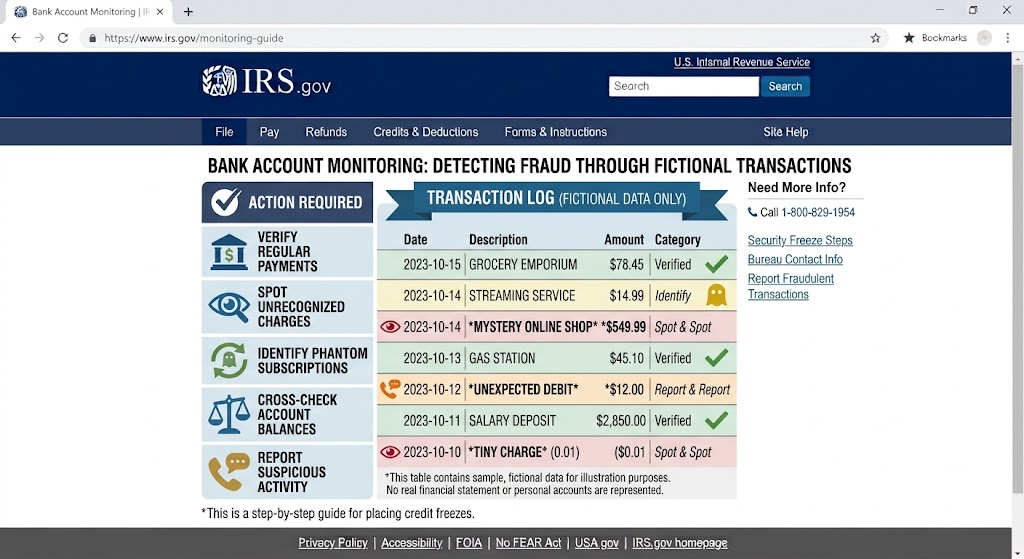
Step 6: Monitor Bank and Credit-Card Accounts
Bank account monitoring is separate from credit monitoring.
Review current transactions in your bank and card accounts regularly.
Pay attention to:
- Purchases you do not recognize
- Transfers you did not initiate
- New payment recipients
- Changes to contact information
- Unexpected replacement cards
- Unfamiliar automatic payments
- Security alerts about changes you did not request
Merchant names are sometimes confusing, so investigate an unfamiliar transaction before concluding that it is fraudulent.
If you cannot recognize a transaction after checking it, contact the financial institution through its official app, the number on the physical card, a statement, or an independently verified website.
Turn on account alerts
Many banks and card issuers let customers configure alerts for:
- Purchases
- Transfers
- Large transactions
- Low balances
- Password changes
- New logins
The options vary by financial institution.
Configure them through your real banking app or website, not through a link in an unexpected security text.
Step 7: Secure Your Email Account
Your primary email can be central to identity-theft recovery because many websites use email for password resets and security alerts.
If you suspect credentials were exposed:
- Sign in through the email provider’s official app or website.
- Change the password if it may be compromised.
- Use a new, unique password.
- Review recent login activity where available.
- Review signed-in devices and sessions.
- Check recovery email addresses and phone numbers.
- Review forwarding rules if your provider offers them.
- Enable appropriate multifactor authentication or a passkey.
Do not reuse the new email password anywhere else.
If you are locked out, use the provider’s official account-recovery process rather than paying an unknown “account recovery specialist.”
Step 8: Change Passwords in Priority Order
Identity theft does not automatically require changing every password you have ever created.
Prioritize accounts where credentials are known or reasonably suspected to be exposed.
A useful order is:
- Primary email
- Password manager
- Banking and payment services
- Apple, Google, or Microsoft account
- Mobile carrier
- Work or school accounts
- Cloud storage
- Shopping and social media accounts
- Other accounts sharing an exposed password
The most important password rule is uniqueness.
If one old password was reused across five accounts, change all five. A password manager can help generate and store different credentials.
Step 9: Enable Strong Authentication
Multifactor authentication requires more than a password to sign in.
It is especially useful when a password may have been exposed.
Where available, passkeys and hardware security keys can provide strong resistance to conventional phishing. Authentication apps are also widely used. SMS-based verification can still provide an additional layer compared with a password alone, although it has limitations.
No form of 2FA prevents all account compromise.
Never give a one-time code to someone who unexpectedly contacts you, and never approve a sign-in notification you did not initiate.
Step 10: Protect Your Mobile Carrier Account
Your phone number can be involved in account recovery and SMS verification, so your carrier account deserves protection too.
Major US wireless carriers commonly provide account PINs, passwords, or additional protections against unauthorized account or SIM changes. Features and terminology vary.
Open your carrier’s official app or website and review its security options.
Use a unique credential and any appropriate account PIN or port-out protection offered by the provider.
If your phone unexpectedly loses cellular service while other phones nearby work normally, there can be ordinary technical explanations. But if it coincides with unexpected account alerts, contact your carrier through an official channel to investigate.
Do not assume an outage automatically means a SIM-swap attack.
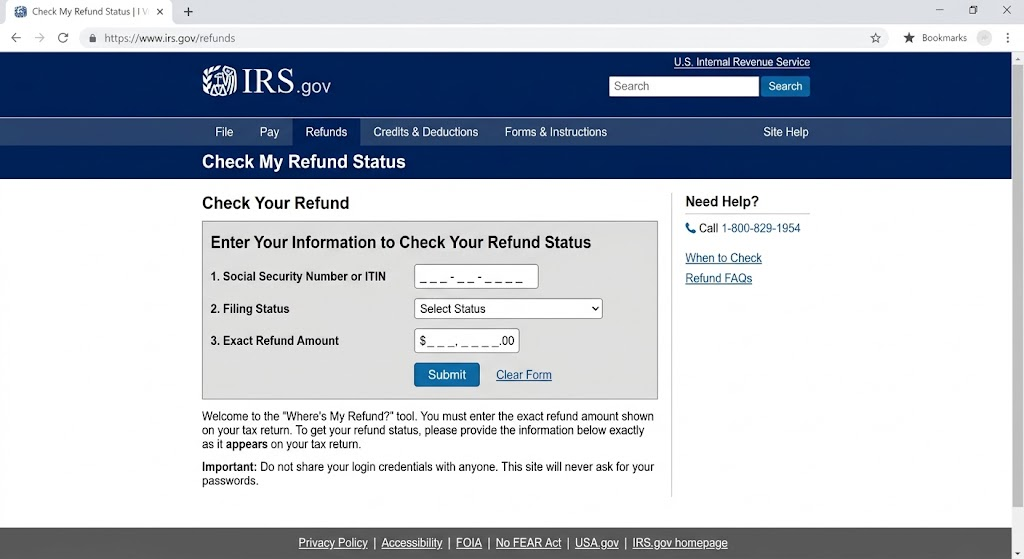
Step 11: Consider an IRS Identity Protection PIN
Tax identity theft occurs when someone uses another person’s identity in connection with a fraudulent tax return or other tax activity.
The IRS Identity Protection PIN, commonly called an IP PIN, is a six-digit number designed to help prevent someone else from filing a federal income-tax return using your Social Security number or Individual Taxpayer Identification Number.
Eligible taxpayers can proactively obtain an IP PIN; you do not necessarily need to be a confirmed tax identity-theft victim first.
Use the official IRS resource:
Keep the IP PIN private
The IRS issues a new IP PIN for each calendar year.
Keep it securely available for legitimate tax filing, and do not disclose it in response to an unsolicited phone call, text, or email.
If you use a tax professional, follow IRS guidance about appropriate use of the PIN in your tax filing.
An IP PIN addresses tax-return identity protection. It does not freeze your credit or secure your bank accounts.
Step 12: Watch for Tax-Related Warning Signs
Tax identity theft may become apparent when:
- An electronically filed return is rejected because a return using your SSN was already filed.
- The IRS sends a legitimate notice about a return you do not recognize.
- IRS records show unexpected tax activity.
Tax situations can be complex. Use IRS.gov and the agency’s official identity-theft procedures rather than relying on generic advice from an unsolicited caller.
Be cautious with texts, emails, or calls claiming to be the IRS and demanding immediate payment or sensitive information. Verify communications through IRS.gov.
Step 13: Consider Other Specialized Identity Reports
Credit reports cover credit-related activity, but identity information can be used elsewhere.
Depending on what occurred, IdentityTheft.gov may recommend contacting relevant organizations such as:
- A financial institution
- A utility
- A government benefits agency
- A health insurer
- A mobile carrier
- A landlord or property manager
- A debt collector
- A state motor vehicle agency
Do not contact every organization on this list merely because you received one suspicious email. Tailor your response to the information actually exposed or misused.
Step 14: Replace Documents Only When Necessary
If a physical identity document was lost or stolen, use the issuing authority’s official procedures.
For example:
- Social Security information: SSA.gov
- Passport matters: Travel.State.gov
- Driver’s license: your state’s official motor vehicle agency
- Medicare matters: Medicare.gov
Do not send scans of identity documents to an unexpected email address that offers to “help” replace them.
Government identity documents often contain enough information to create additional privacy risks, so share copies only when legitimately required.
What If Your Social Security Number Was Exposed?
An SSN exposure deserves more attention than an email-address exposure because Social Security numbers are difficult to replace and can be relevant to several forms of identity misuse.
Consider:
- Reviewing your credit reports
- Placing security freezes
- Using an initial fraud alert if appropriate
- Following the breached organization’s official guidance
- Reviewing IdentityTheft.gov
- Considering an IRS IP PIN
- Monitoring important accounts
Do not assume that an exposed SSN means identity theft has already occurred. These measures are intended to reduce risk and improve detection.
The Social Security Administration generally does not issue a new SSN simply because one was exposed. Consult SSA.gov for official criteria and guidance.
What If Your Driver’s License Was Exposed?
Use your state’s official Department of Motor Vehicles or equivalent agency for state-specific instructions if your driver’s license was stolen or its information was misused.
State procedures differ.
Do not pay an unfamiliar third-party website merely because it claims you need an “identity theft driver’s license replacement.”
Start at your state government’s official website.
What If Your Health Insurance Information Was Misused?
Medical identity theft can involve someone using another person’s identity or insurance information to obtain care, prescriptions, or benefits.
If you see a service or insurance claim you do not recognize, contact the insurer or healthcare organization through its official contact information.
The FTC provides guidance for medical identity theft through IdentityTheft.gov and consumer resources.
Errors in health records or insurance statements can also be administrative rather than fraudulent, so have the organization investigate.
What If Someone Filed for Benefits in Your Name?
Unemployment or other benefits identity theft requires contact with the relevant government agency.
For unemployment benefits, the US Department of Labor provides links to state reporting resources.
Use .gov agency websites reached independently.
Do not send your Social Security number or identification documents to an address supplied only in an unexpected text.
What If Only Your Email Address Was Exposed?
An email address appearing in breach data does not, by itself, mean you need to freeze your credit.
The exposure may primarily increase phishing or spam risks depending on what else was involved.
Read the official breach notice and determine exactly what information was affected.
If only an email address and perhaps a username were exposed, consider:
- Being more alert to phishing
- Checking for password reuse
- Securing the email account
- Enabling MFA
- Reviewing account activity
A credit freeze remains available as a general preventive measure, but the appropriate response should reflect the data and your preferences.
Should Children Have Credit Freezes?
Children can also be affected by identity theft.
Federal law provides mechanisms for parents or guardians to request freezes for qualifying minors. The process generally requires identity and relationship documentation and must be completed with each nationwide credit bureau.
The FTC explains child identity theft and protective freezes.
Use current FTC and credit-bureau instructions because documentation requirements matter.
Avoid posting a child’s Social Security number or identity documents to an unverified service.
What About a Deceased Family Member?
Identity issues involving a deceased person have specialized reporting and documentation requirements.
The Social Security Administration, credit bureaus, financial institutions, and estate representatives can have different roles.
Use official government and bureau instructions, and consider qualified legal assistance for estate-specific questions where appropriate.
Do not rely solely on generic identity-theft checklists for estate administration.
Credit Monitoring vs. Credit Freeze
Credit monitoring and a credit freeze perform different jobs.
Monitoring tells you about certain changes after they occur or are reported. A freeze restricts access to your credit file for many new-credit applications.
Monitoring can therefore help with detection, while a freeze can help prevent certain new-account activity.
Neither protects against every form of identity theft.
A paid credit-monitoring service is not required in order to freeze your credit.
Some breach victims are offered complimentary monitoring. If you receive such an offer, verify it through the affected organization’s independently located official breach notice before enrolling.
Protect Your Credit Freeze Accounts Too
When you establish online accounts with the credit bureaus, protect those credentials.
Use unique passwords and available multifactor authentication.
Store passwords in a reputable password manager if appropriate.
Do not share freeze account credentials, recovery information, or verification codes with unsolicited callers claiming they need to “confirm” your freeze.
When you need to lift a freeze, navigate directly to the bureau.
Watch for Identity-Theft Recovery Scams
People concerned about identity theft can become targets for additional scams.
Be cautious if someone contacts you unexpectedly and claims they can:
- Remove all stolen information from the internet
- Guarantee complete recovery
- Unfreeze your credit for a fee
- Recover lost money for an upfront payment
- Obtain a new Social Security number immediately
- Fix your identity by remotely controlling your computer
Use FTC resources, credit bureaus, account providers, banks, and established professionals you independently choose.
Federal credit freezes are free. Be wary of anyone implying that payment is required simply to exercise that right.
Keep Security Notifications Useful
Alerts are most valuable when you can recognize and act on them.
For banking applications, consider enabling alerts for transactions and account changes.
For Apple, Google, Microsoft, and major email accounts, keep security notifications and recovery information current.
For credit monitoring services you intentionally use, ensure they have a current email address or phone number.
Do not click every alert automatically. An alert can tell you to check an account; you can still open the account’s official app or website independently.
Phone and Computer Security After Identity Theft
Identity theft does not necessarily mean a phone or computer is infected.
Still, if your incident involved phishing, unfamiliar software, or remote access, review device security as appropriate.
iPhone and iPad
Keep iOS/iPadOS updated. Review installed apps, your Apple Account’s trusted devices, and relevant Passwords/security settings.
Use a strong device passcode and Face ID or Touch ID when appropriate.
Android
Keep Android and security updates current. Review installed applications, Google Account security, and Google Play Protect where supported.
Use a strong screen lock.
Windows
Keep Windows Update and Microsoft Defender protections enabled. If you suspect unwanted software was installed, use Windows Security’s appropriate scan options.
Mac
Keep macOS current and Apple’s built-in protections enabled. Review applications and Privacy & Security permissions if you installed something during a suspicious interaction.
Do not install a “cleanup” product just because an unsolicited security pop-up tells you to.
A First-24-Hours Identity Theft Checklist
When actual misuse appears likely, prioritize actions instead of trying to do everything simultaneously:
- Stop communicating with suspicious senders.
- Contact affected banks, card issuers, or account providers through verified channels.
- Secure your primary email account.
- Change exposed or reused passwords.
- Enable or review strong authentication.
- Report identity theft at IdentityTheft.gov when appropriate.
- Freeze your credit with Equifax, Experian, and TransUnion if relevant.
- Review your credit reports through AnnualCreditReport.com.
- Document case numbers, transactions, and communications.
- Consider an IRS IP PIN if Social Security/tax identity exposure is relevant.
Then work through specialized issues—utilities, tax, benefits, medical identity, licenses, or other accounts—as the facts require.
Longer-Term Monitoring
Identity-theft recovery does not always end after one day.
Continue periodically reviewing:
- Credit reports
- Bank and card statements
- Important online accounts
- Email security activity
- Tax notices
- Relevant benefits accounts
How long you monitor more intensively depends on the information involved and the incident.
A credit freeze can generally remain in place until you choose to lift or remove it. You do not need to lift it simply because several months have passed.
Keep your contact information current with important institutions so legitimate alerts reach you.
Common Mistakes to Avoid
Do not assume a credit freeze fixes fraudulent transactions on existing bank or card accounts. Contact those financial institutions separately.
Do not freeze only one credit bureau if you want broad protection against new credit activity. Equifax, Experian, and TransUnion maintain separate files.
Avoid confusing a fraud alert with a freeze. They provide different protections.
Do not pay for a service merely to place a basic federal security freeze. Freezes are available for free.
Avoid giving personal information to someone who contacted you unexpectedly and claims to be from a credit bureau, bank, the IRS, or the FTC. Navigate to the organization independently.
Do not change passwords through links in an unexpected breach or identity-theft email.
Avoid password reuse, particularly for email, financial, carrier, and credit-bureau accounts.
Do not assume 2FA prevents every type of fraud. Authentication protects account access; it does not prevent someone from using a Social Security number in every identity context.
Finally, avoid trying to complete every possible protective measure regardless of the incident. Focus first on the information actually exposed or misused.
FAQ
What should I do first if I suspect identity theft?
If there is an active financial or account problem, secure the affected account through the institution’s official channel.
Then consider using IdentityTheft.gov to report identity theft and obtain a recovery plan. Document what happened and preserve relevant legitimate records.
How do I freeze my credit?
Place a security freeze separately with Equifax, Experian, and TransUnion through each bureau’s official freeze process.
The FTC provides links and current instructions. Credit freezes are free under federal law.
Does freezing my credit hurt my credit score?
According to the FTC, placing a security freeze does not affect your credit score.
It can affect the process of applying for new credit because you may need to temporarily lift the freeze.
What is the difference between a fraud alert and a credit freeze?
A credit freeze limits access to your credit report, which can make it more difficult to open new credit in your name.
A fraud alert keeps your report available but instructs businesses to take additional steps to verify identity before opening new credit.
Do I have to contact all three bureaus for a fraud alert?
For an initial fraud alert, you can contact one of the three nationwide credit bureaus. That bureau is required to notify the other two.
A credit freeze works differently: you must place it separately with all three.
How long does a credit freeze last?
A security freeze generally remains in place until you lift or remove it.
You can temporarily lift it when applying for legitimate credit and then allow it to return according to the options you select.
What is an FTC Identity Theft Report?
An FTC Identity Theft Report is created through IdentityTheft.gov when you report identity theft.
It can document the incident and be used as part of certain recovery steps. Follow the personalized instructions the FTC provides for your specific circumstances.
What is an IRS Identity Protection PIN?
An IRS IP PIN is a six-digit number that helps prevent someone else from filing a federal tax return using your Social Security number or Individual Taxpayer Identification Number.
The IRS issues a new IP PIN each calendar year. Obtain it only through the IRS’s official process.
Do I need a credit freeze after every data breach?
Not necessarily.
The appropriate response depends on what information was exposed. An email-address-only breach has different implications from exposure of a Social Security number.
A credit freeze is available as a preventive tool regardless, but use the official breach notice and FTC guidance to assess your situation.
Is credit monitoring enough?
Credit monitoring can help you discover certain changes, but it generally does not prevent new credit applications.
A freeze and monitoring serve different functions. Neither covers every kind of identity theft.
When to Get Extra Help
Start with IdentityTheft.gov when you need a personalized US identity-theft recovery plan. For credit-report disputes or freeze issues, contact Equifax, Experian, or TransUnion through their official channels.
If a bank, card, Zelle, Venmo, or other financial transaction is involved, contact the financial institution or payment provider directly using its official application, an independently verified website, or the number printed on your physical card. Follow its fraud procedures.
For tax identity theft, use IRS.gov and the IRS’s official identity-theft resources. For Social Security matters, use SSA.gov. For state-issued identification, contact your state’s official motor vehicle agency.
The Consumer Financial Protection Bureau provides consumer information and a complaint process for covered financial products and services. For questions about your legal rights in a complex dispute, consider an appropriately qualified attorney or legal-aid organization.
If an incident involves credible threats, stalking, extortion, theft, or other potentially criminal conduct, consider contacting the appropriate local or federal law-enforcement agency. A police report may be useful or required in some specific recovery situations, but not every identity-theft case requires the same reporting path.
This guide provides general cybersecurity and consumer information, not personalized legal or financial advice.
Conclusion: Freeze, Monitor, Report, and Secure
Identity-theft recovery is easier to manage when you separate the problem into a few categories.
Use this short recap: secure accounts that are actively affected, report identity theft through IdentityTheft.gov when appropriate, consider credit freezes with all three nationwide bureaus, review your credit reports, monitor bank and card activity, strengthen your email and other important accounts, and consider an IRS IP PIN when tax identity exposure is relevant.
A credit freeze is useful, but it does not replace account monitoring. MFA is useful, but it does not protect a Social Security number from every kind of misuse. Credit monitoring can provide alerts, but it does not necessarily prevent new-account fraud.
Layering these protections—and using official sources for each step—provides a practical way to respond without assuming that every exposure will lead to identity theft.